A faster, easier finance screen, with bulk commission updates
We've rebuilt the finance agreements screen to make managing your finance deals quicker, and added bulk updates for commission.
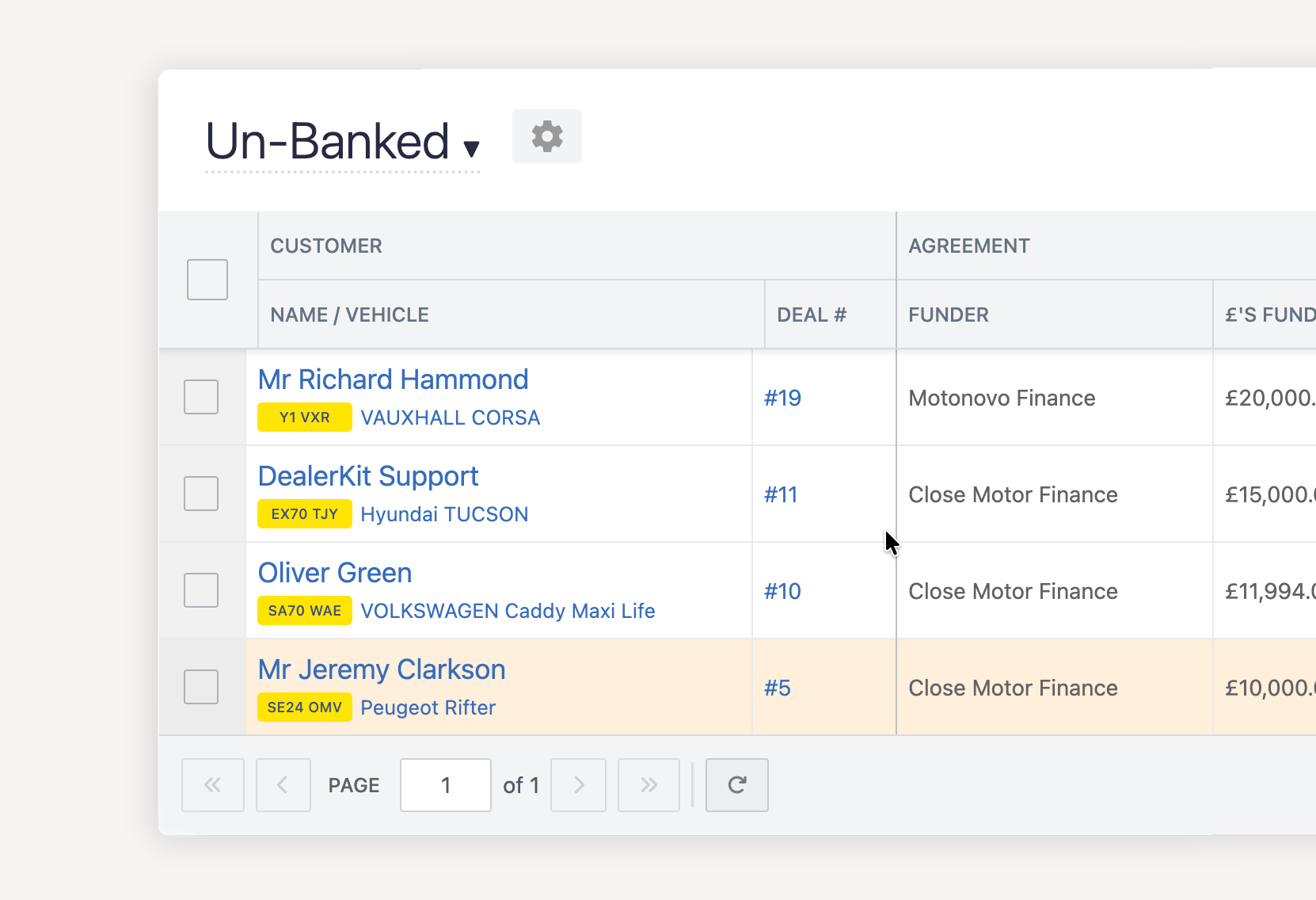
A clearer, easier-to-edit finance screen
The finance screen now uses the same grid as the rest of DealerKit, and it's much easier to work with:
- Customer, vehicle and deal number stay visible. They're pinned to the left, so you always know which deal you're looking at while you scroll across the other columns.
- Tidier columns. Columns are grouped into Agreement, Finance and Commission. The save button is pinned to the right.
- Totals at a glance. A summary row shows total funded, contra, payout and commission, plus the number of agreements.
- Quicker editing. Click once on a cell to edit it, whether that's the finance type, term, monthly payment, balloon, status, payment date or commission. Fields that don't apply yet show a grey dash, and empty fields you can edit show a placeholder, so it's clear what you can fill in.
- More on each page. You now see 100 agreements per page, and searching takes you back to the first page.
Your saved views, filters and search all work as before.
Bulk update commission payment methods and dates
You can now update commission on lots of agreements at once, without editing each row. Select the agreements, click Bulk Update, and tick Commission Status to set the commission payment method and paid date for all of them.
You can update the payment status and the commission together in one go. For example, you can mark a batch of payments as Banked and record their commission at the same time. Commission can only be recorded once a payment is banked. If any agreements you've selected aren't banked yet, the bulk update tells you how many will be skipped.